
v0.3.0 alpha · open source, AGPL-3.0
Open-source visual ETL that exports pandas and Polars code
Build data pipelines on a canvas that runs on your machine, check each step on real data, and export a Python script you can read and run without Ciaren.
Code export
The canvas and the code it exports
Each node on the canvas becomes a few lines of pandas or Polars. The exported script runs without Ciaren installed.
File Input
sales.csv
Filter Rows
status == 'completed'
Group By Aggregate
sum(amount) by region
Rename Columns
amount -> total_sales
Sort Rows
total_sales, descending
File Output
sales_by_region.csv
import polars as pl df_sales = pl.read_csv('sales.csv') df_sales = ( df_sales.filter(pl.col('status') == 'completed') .group_by('region') .agg(pl.col('amount').sum()) .rename({'amount': 'total_sales'}) .sort('total_sales', descending=True, nulls_last=True)) df_sales.write_csv('sales_by_region.csv') The same flow exports to either engine. You pick pandas or Polars per run.
What it does
From the canvas to a script you can run anywhere Python runs
Preview
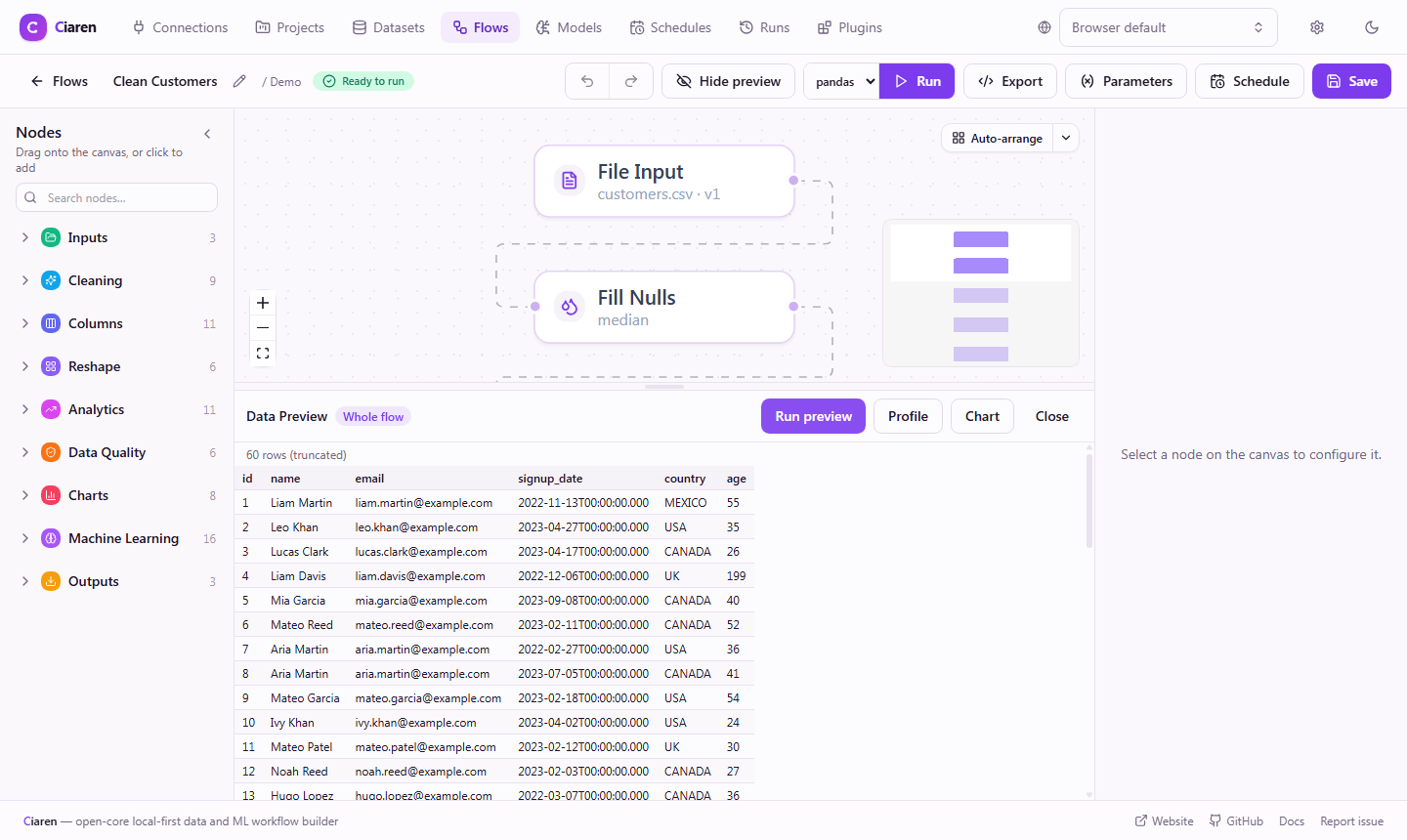
Check every step on your real data
Select any node to see its output before you run the rest of the flow. A bad join or a wrong filter shows up while you build, not after a full run.
- Rows, columns, and types for the selected node
- Dataset profiles with types, null counts, and distributions
Export
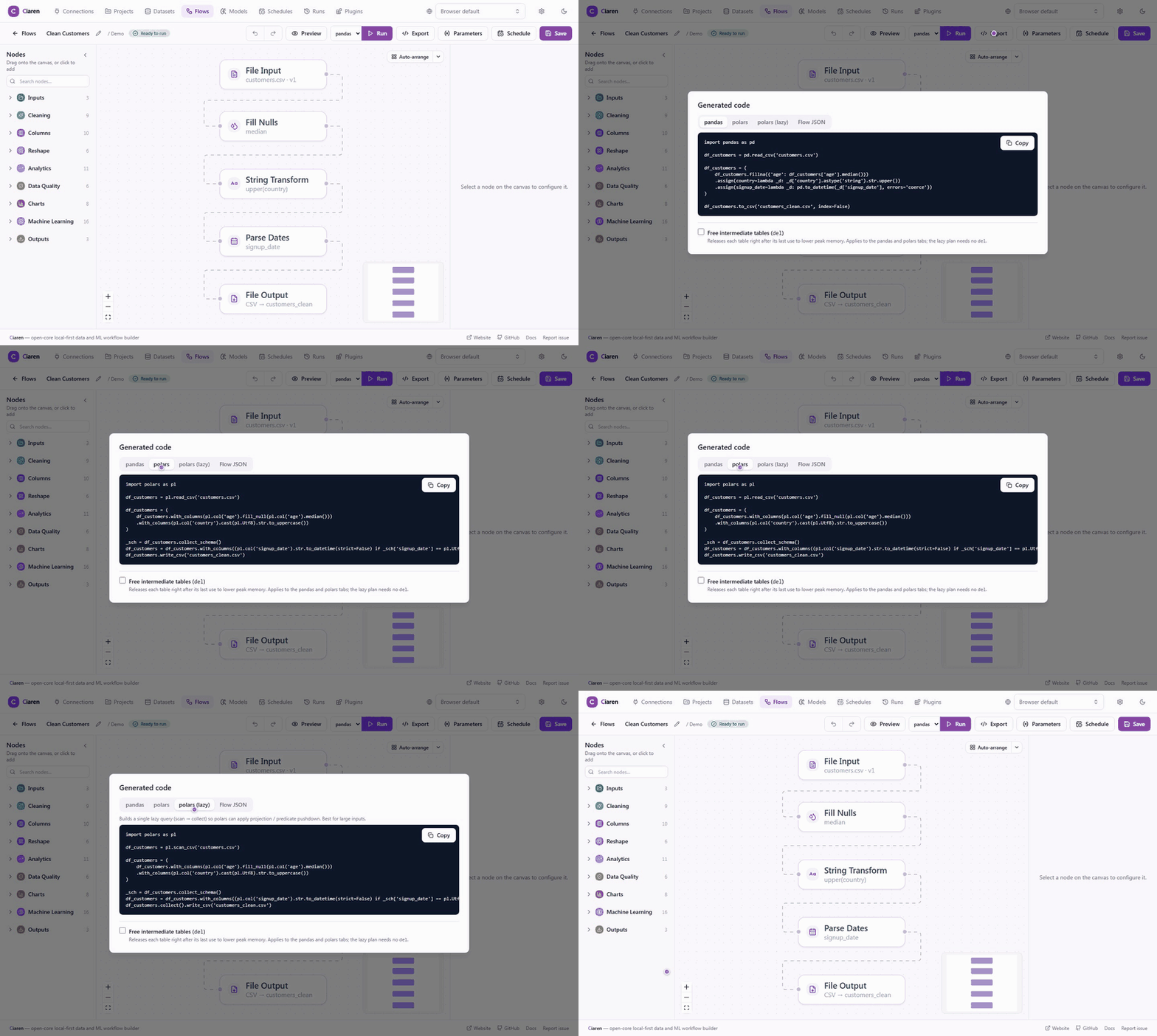
Take the flow with you as Python
Export the flow as a readable script. Run it in a notebook, a cron job, or CI.
- pandas, Polars, or lazy Polars output
- A standalone script that runs without Ciaren installed
Runs and schedules
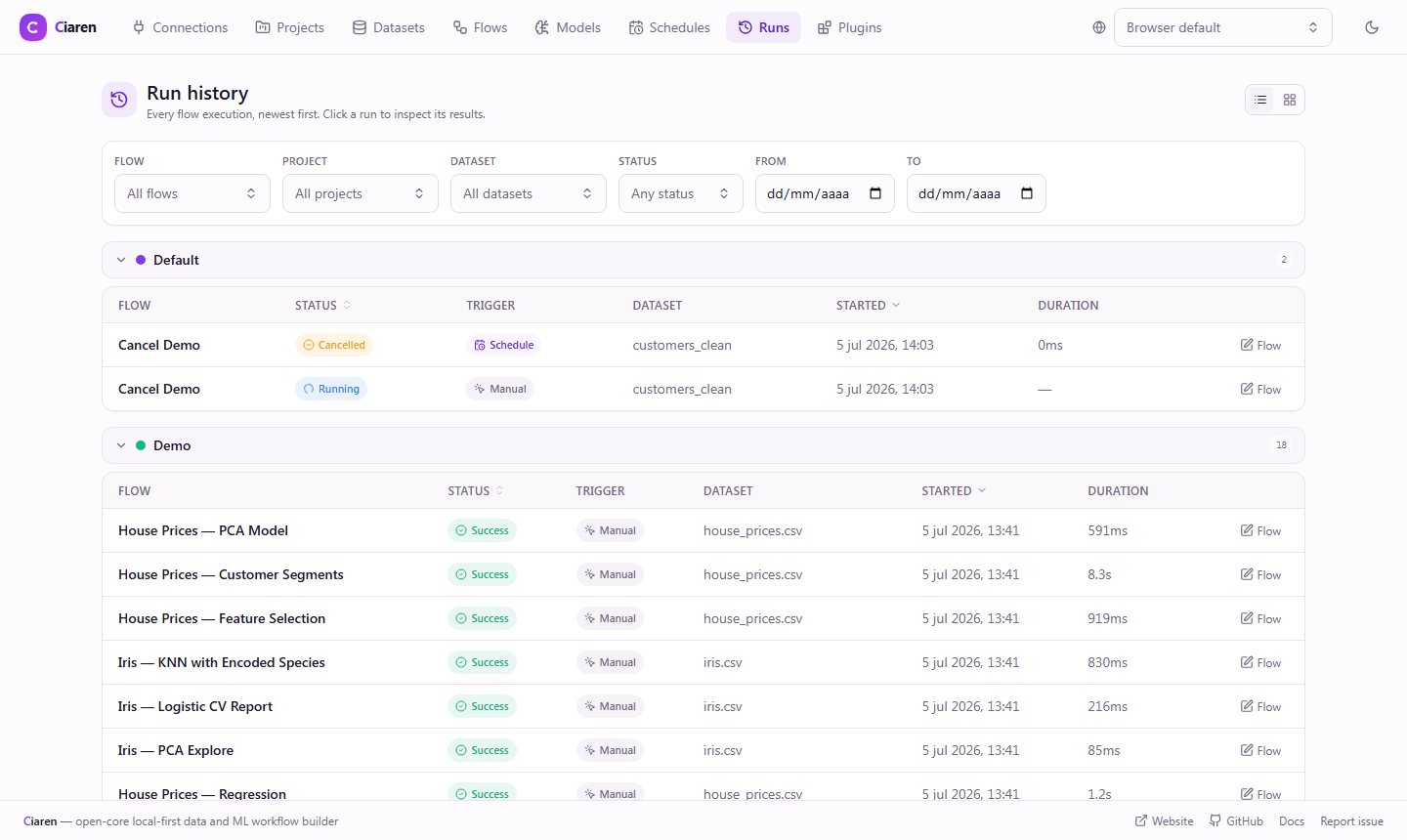
Know what each run did, and run it again on a schedule
Every run records per-node status and row counts, so a failure points to the step that caused it. Schedules run flows on your own machine.
- Hourly, daily, weekly, or a custom cron expression
- Retries, catch-up runs, and auto-disable on repeated failure
Also in the core
Everything else ships in the open-source install
Alternatives
How it compares
Ciaren sits between notebooks, orchestrators such as Airflow and dbt, and closed visual ETL tools. The comparison guide covers where each one fits, and when not to use Ciaren.
Project status: pre-1.0 alpha
Ciaren is under active development. APIs, the workflow format, generated code, and plugin interfaces may change before 1.0. It suits experiments, prototypes, and controlled internal workflows.
Try it on your own data
Ciaren is free and open source. Install it with pip and open the editor in your browser.