
Open source · runs on your machine
Low-code data pipelines that export Python
Ciaren is a low-code tool for data pipelines. You build a flow from nodes and forms, with no code required to start. Each node maps to one pandas or Polars operation, so the whole flow exports as a readable Python script that runs without Ciaren.
What it is
Forms for the common steps, code when you want it
Low-code tools let you build with forms and diagrams and add code only where you need it. Ciaren applies that idea to data preparation. You drop a node, pick columns and options in a form, and connect it to the next step.
Each node maps to one dataframe operation, so the logic stays visible. Every run leaves results you can inspect, and every flow can become a pandas or Polars script. If you stop using Ciaren, you keep the code.
It suits analysts who want to clean and reshape data without writing every step by hand. It also suits Python learners who want to see how a visual step becomes pandas or Polars code.
How it works
Configure, reuse, and check a flow
Configure
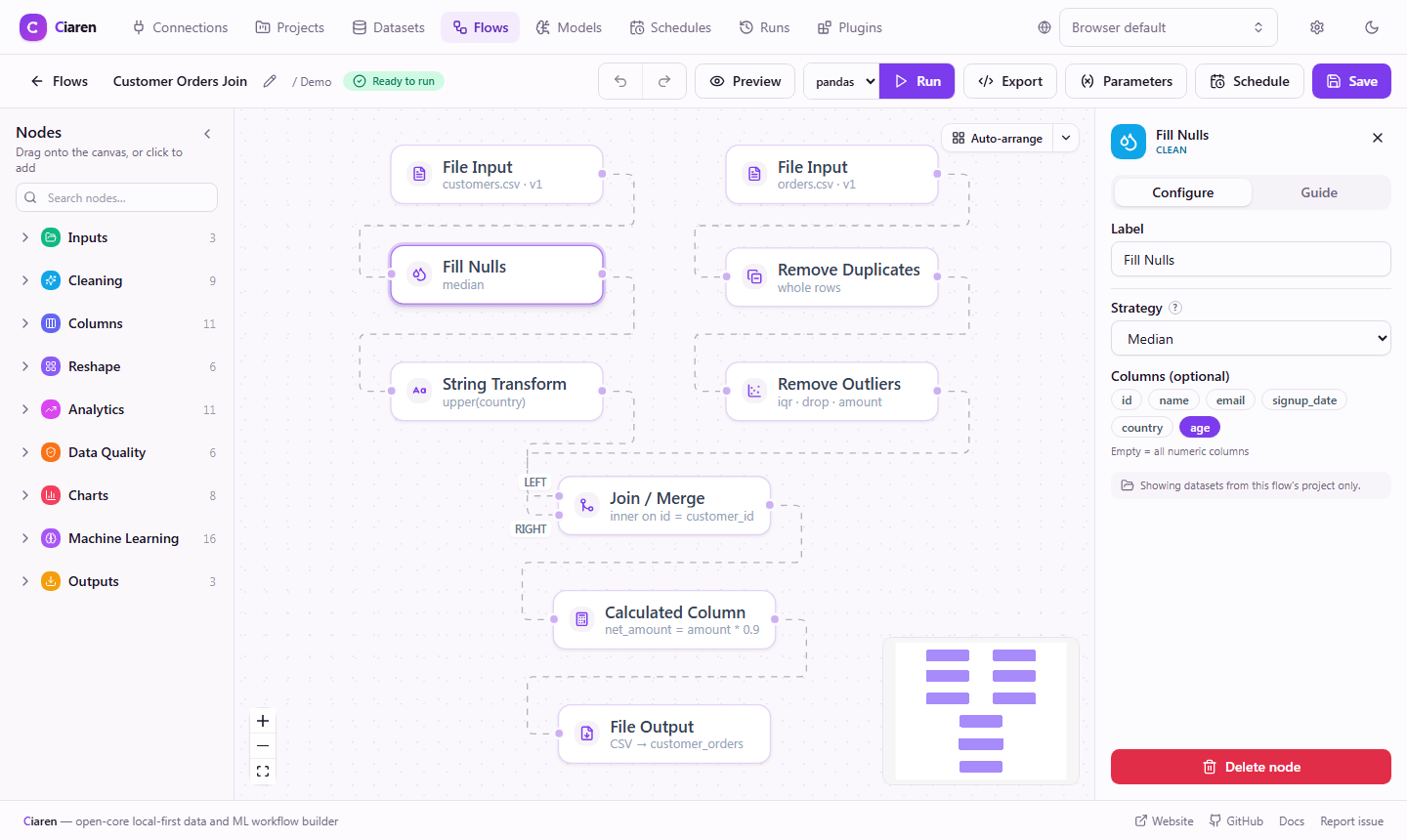
Set each step in a form
Click a node to open its settings: columns, operators, target types, and aggregations. Each node maps to exactly one dataframe operation.
- Forms validate as you type
- The server validates the config again on run
Reuse
One flow, different inputs
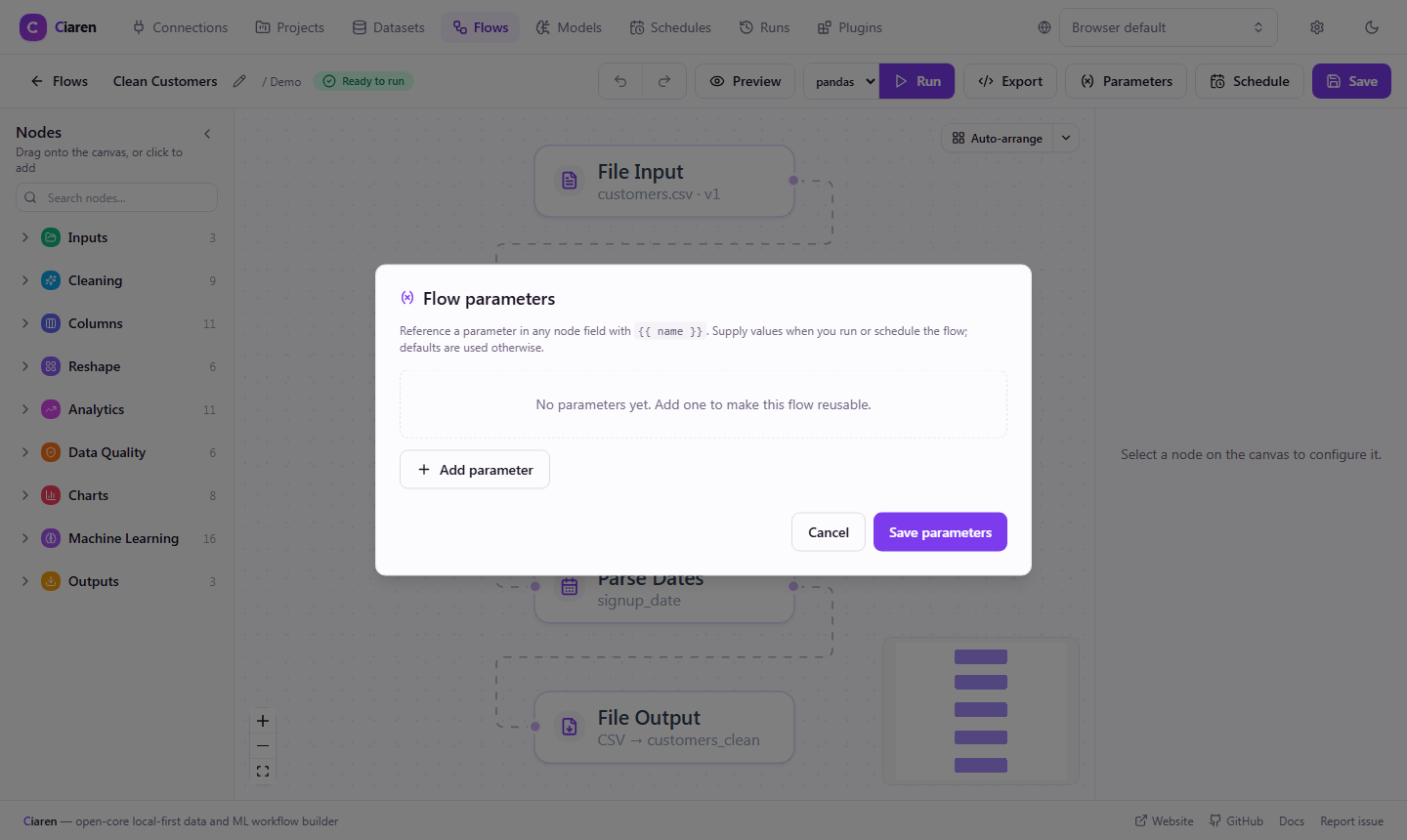
Declare typed parameters and reference them in any node field as {{ name }}. Supply new values when you run, preview, schedule, or export the flow.
- Per-run values override per-schedule values and defaults
- Exported scripts declare parameters as plain variables at the top
Check
Profile a dataset before you build on it
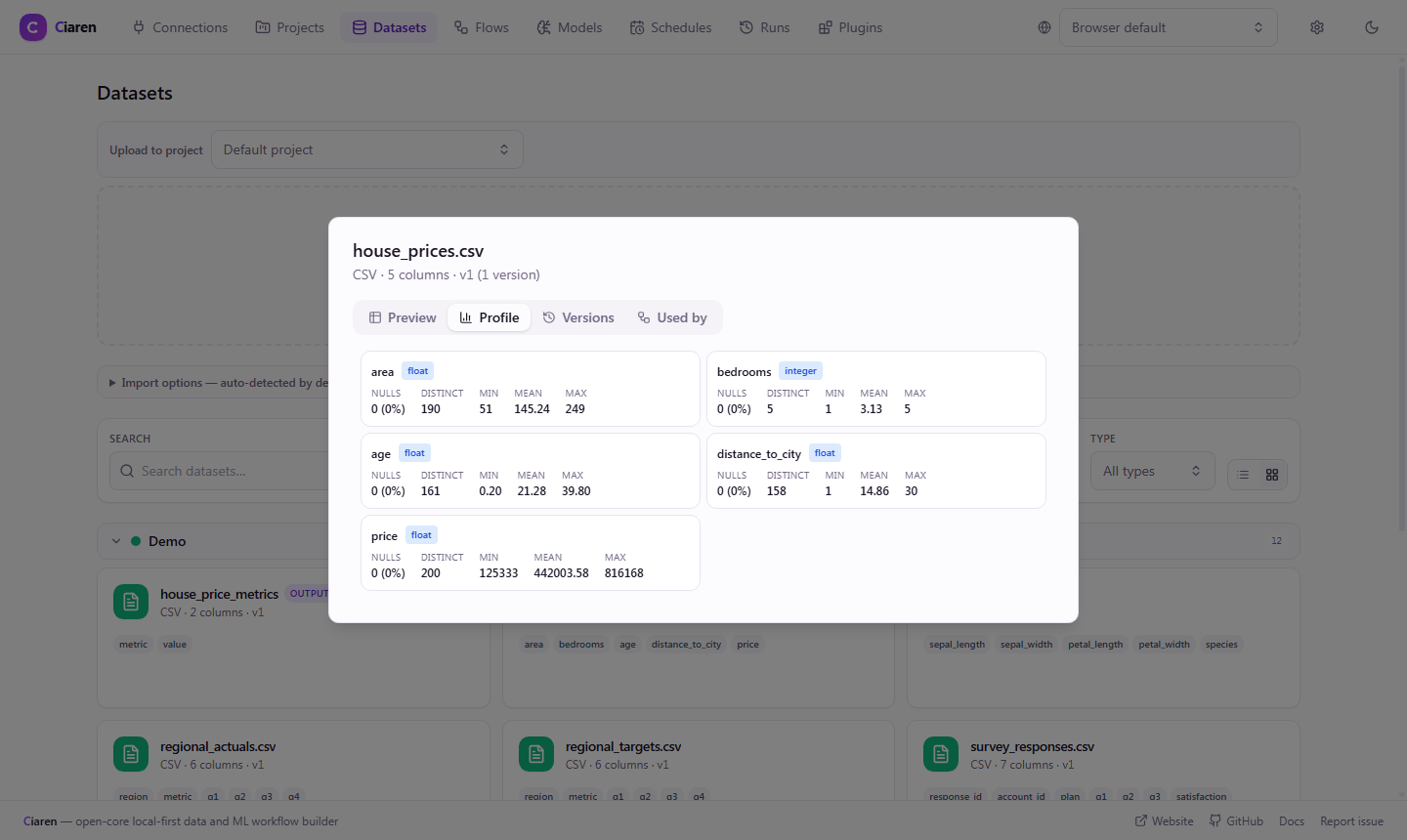
The Profile tab shows per-column types, null counts, distinct values, and numeric ranges. Use it to decide which cleaning nodes a dataset needs.
- Uploaded datasets keep immutable versions
- Each run records the dataset versions it read
Building blocks
What you work with
Exported code
The same flow as pandas
A flow that reads sales.csv, drops rows with no amount, and sums the amount by region exports to this pandas script. Switch the tab in the export dialog to get Polars instead.
import pandas as pd

df_sales = pd.read_csv('sales.csv')

df_sales = (
    df_sales.dropna(subset='amount')
    .groupby('region')
    .agg({'amount': 'sum'})
    .reset_index()
)

df_sales.to_csv('summary.csv', index=False)
Limits
Where low code stops
- Logic the built-in nodes cannot express needs Python, in a Python Transform node or a plugin.
Project status: pre-1.0 alpha
Ciaren is pre-1.0 alpha software for small and medium datasets on one machine. It is not built for distributed or streaming pipelines, datasets of 100 GB or more, or multi-user collaboration.
FAQ
Common questions
Read next
Docs and related pages
Try a low-code flow on your data
Install Ciaren with pip, build a flow, and export the Python behind it.