
Open source · AGPL-3.0 · runs on your machine
Open-source visual ETL tool that exports Python
Ciaren is a free, open-source visual ETL tool for small and medium datasets. You drag nodes onto a canvas to load, clean, join, and validate data. You preview every step on real rows. Then you export the flow as a pandas or Polars script that runs without Ciaren.
What it is
A drag-and-drop ETL tool with Python at the end
An ETL tool extracts data from files or databases, transforms it, and loads the result somewhere else. A visual ETL tool lets you build those steps as a diagram instead of a script. Ciaren does this in a browser editor that runs on your own machine.
Each node on the canvas maps to one dataframe operation, such as a filter, a join, or a group by. Because of that mapping, Ciaren can turn the whole flow into ordinary Python. You can read the code, review it in a pull request, and run it in a notebook, a cron job, or CI.
Install it with pip and start the editor with one command. The PyPI package bundles the web editor, the API, and the scheduler. Flows and run history live in a local SQLite database by default, so your data does not need to leave your machine.
How it works
Build, check, and export a pipeline
Build
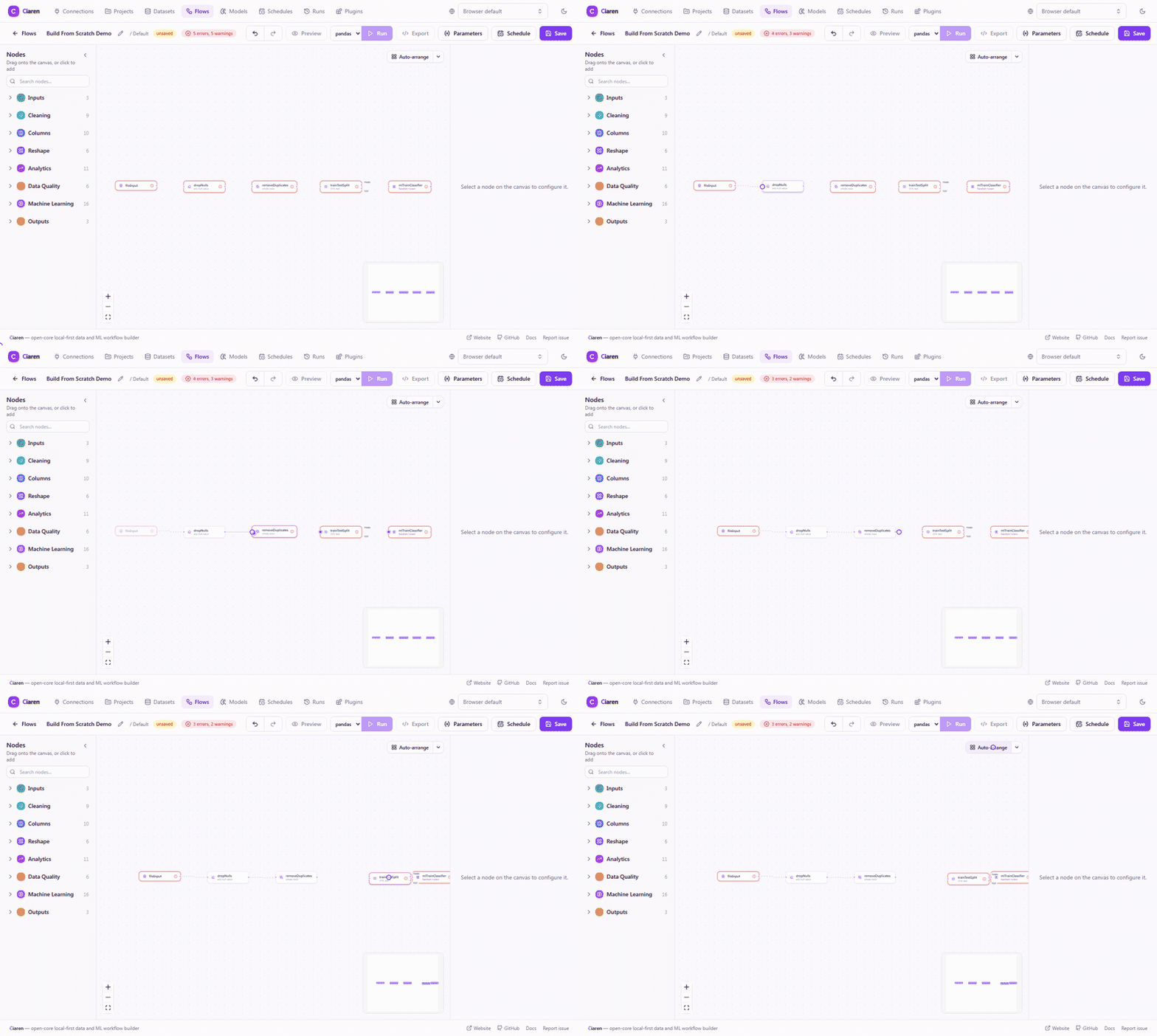
Drag nodes onto the canvas and connect them
The node palette groups 80 nodes into 9 categories: inputs, cleaning, columns, reshape, analytics, data quality, charts, machine learning, and outputs. Drag a node, set its options in the config panel, and connect it to the next step.
- Config forms validate as you type. The server validates again on run.
- Join takes two inputs. Union accepts as many as you connect.
Check
Preview the output of any node
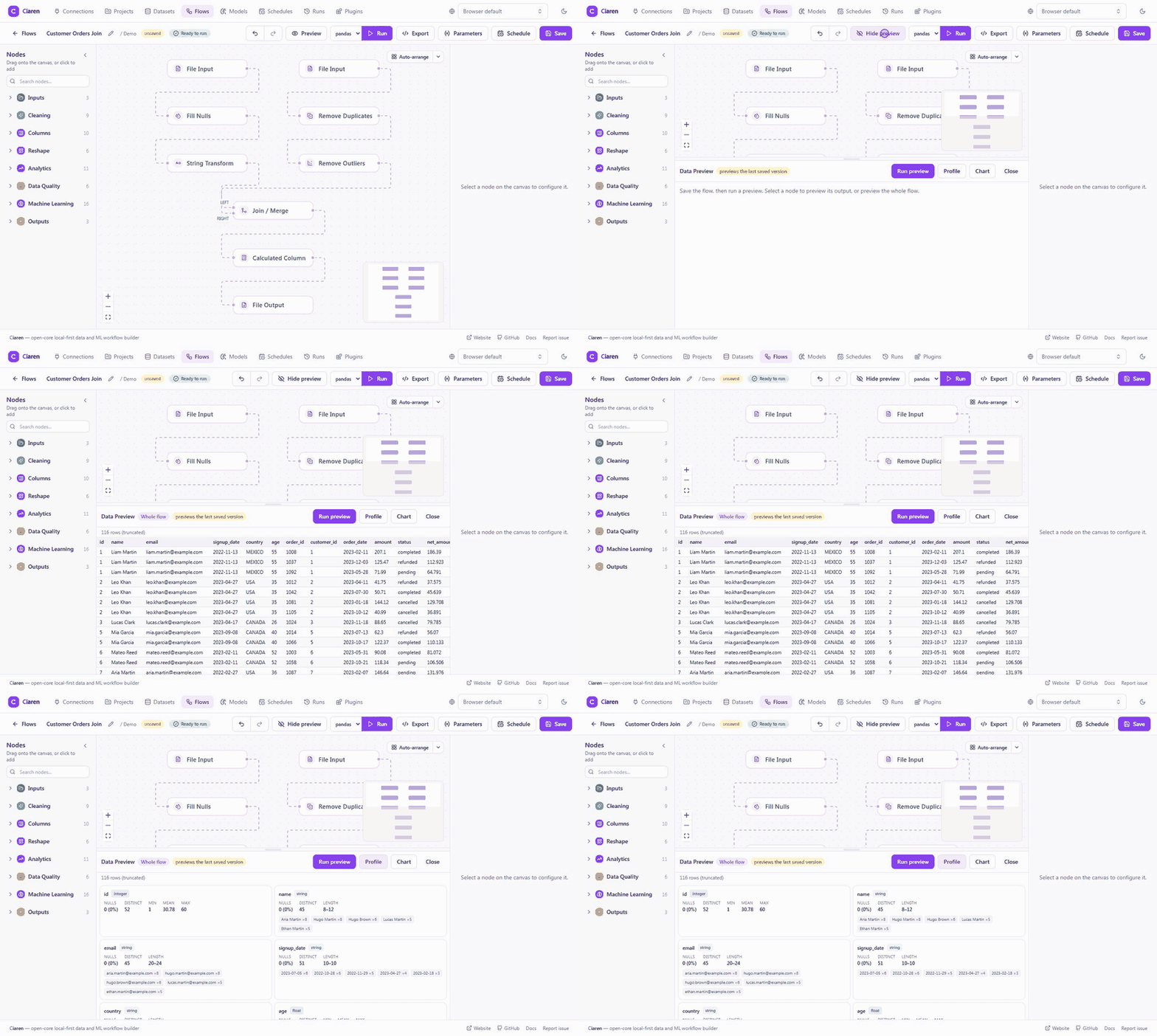
Select a node and run a preview to see a sample of its output. Switch to Profile for per-column statistics. A wrong join key or filter shows up while you build.
- Null counts, distinct counts, and numeric ranges per column
- Profile statistics use a bounded sample, so they stay fast
Export
Take the pipeline with you as Python
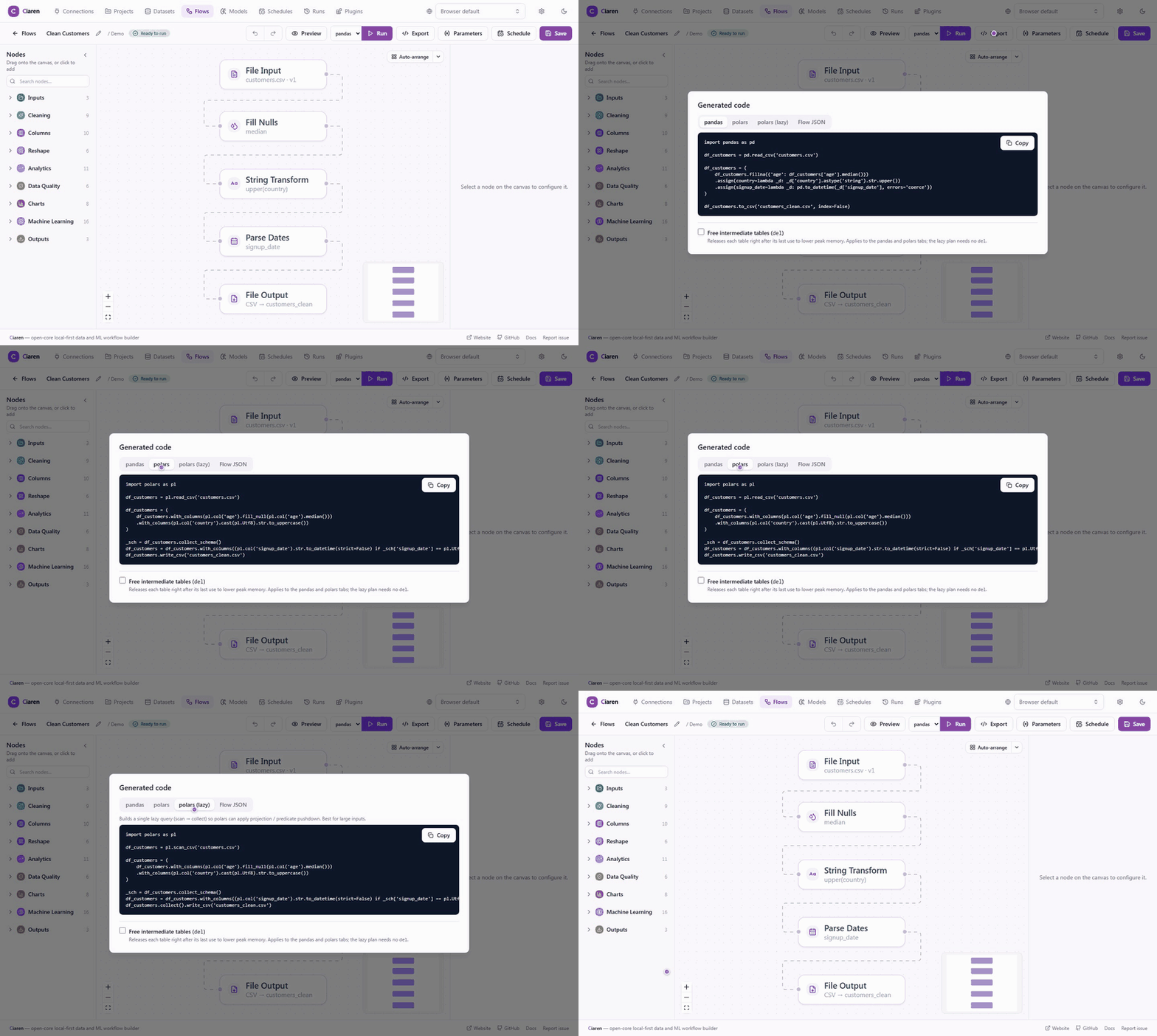
The export dialog generates three versions of the same flow: pandas, eager Polars, and lazy Polars. Each one is a standalone script. You do not need Ciaren installed to run it.
- Input frames are named after your files, such as df_sales
- Straight chains of steps become one method chain
In the open-source install
What else a pipeline can use
Exported code
What the export looks like
A flow that reads a CSV, drops rows with a missing amount, sums the amount by region, and writes the result exports to this eager Polars script. The same flow also exports to pandas and lazy Polars.
import polars as pl

df_sales = pl.read_csv('sales.csv')

df_sales = (
    df_sales.drop_nulls(subset='amount')
    .group_by('region')
    .agg(pl.col('amount').sum())
)

df_sales.write_csv('summary.csv')
Limits
When not to use Ciaren
Project status: pre-1.0 alpha
Ciaren is pre-1.0 alpha software for small and medium datasets on one machine. It is not built for distributed or streaming pipelines, datasets of 100 GB or more, or multi-user collaboration.
FAQ
Common questions
Read next
Docs and related pages
Build your first flow
Install Ciaren with pip, open the editor, and start from the demo project.