
Scheduler included · no broker
Automate data pipelines with schedules, webhooks, and Python
Ciaren lets you automate data pipelines on your own machine or server. A built-in cron scheduler runs flows on a timer. A secret-protected webhook lets CI, Airflow, or a script start a run. Every run is recorded, and a failure webhook can alert you when one fails.
What it is
Run flows on a timer or on demand
Automating a data pipeline means two things. The pipeline runs without someone clicking Run, and you find out when it fails. Ciaren covers both for flows that run on one machine.
The scheduler runs inside the ciaren serve process. There is no broker and no extra service to set up. Schedules are stored in the database, so they survive restarts.
Other systems start runs over HTTP. The webhook trigger needs one request and a shared secret. The Python SDK wraps the same API for scripts, notebooks, Airflow, and Prefect. Every run is recorded the same way, whoever started it.
How it works
Schedule, watch, and inspect runs
Schedule
Pick a frequency or write a cron expression
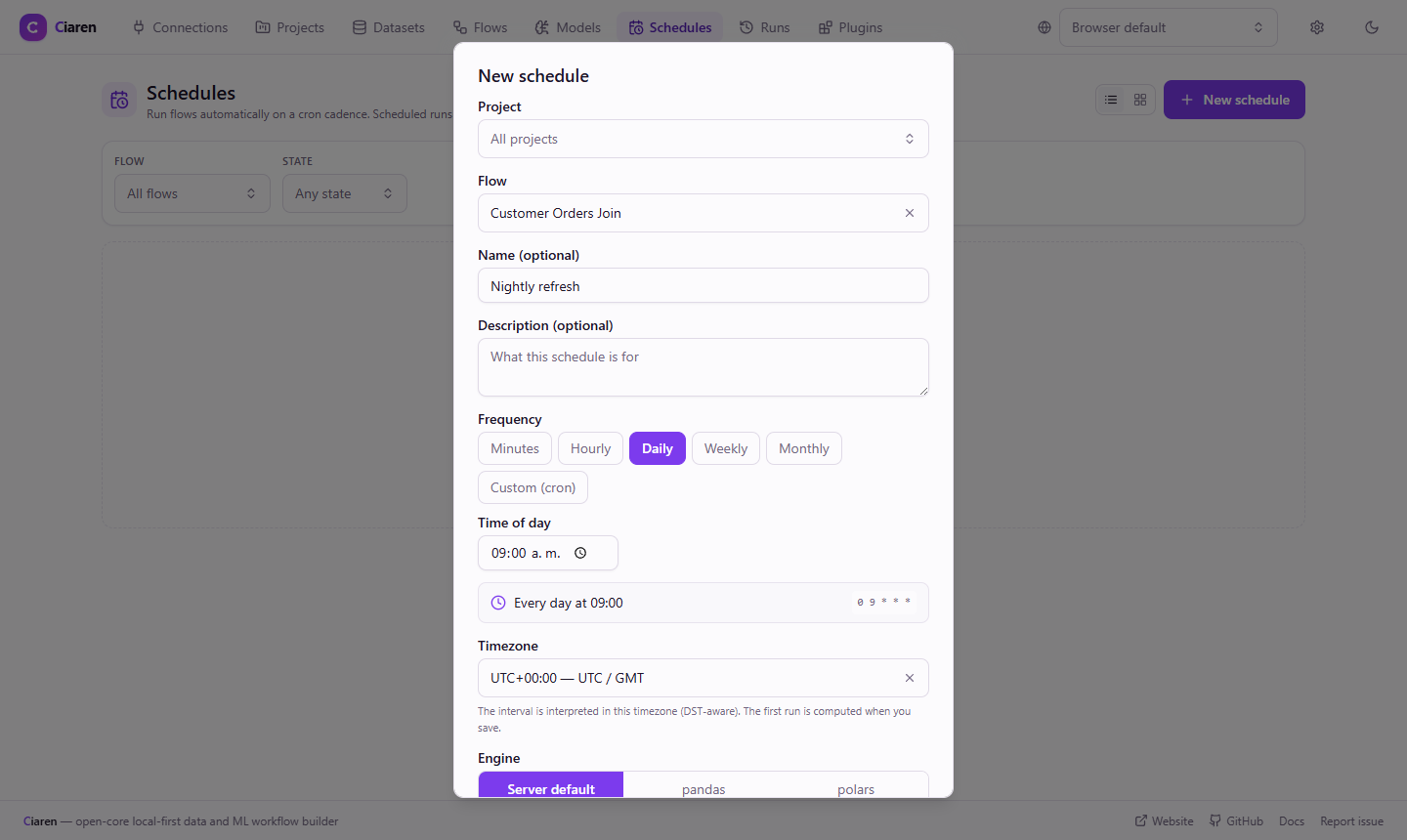
Click Schedule in the flow editor. Choose a frequency, a time of day, a timezone, and an engine. The builder shows the cron expression and a plain summary as you change it.
- Every N minutes, hourly, daily, weekly, monthly, or custom cron
- Parameter values per schedule, so one flow can back several schedules
Watch
See which schedules are failing
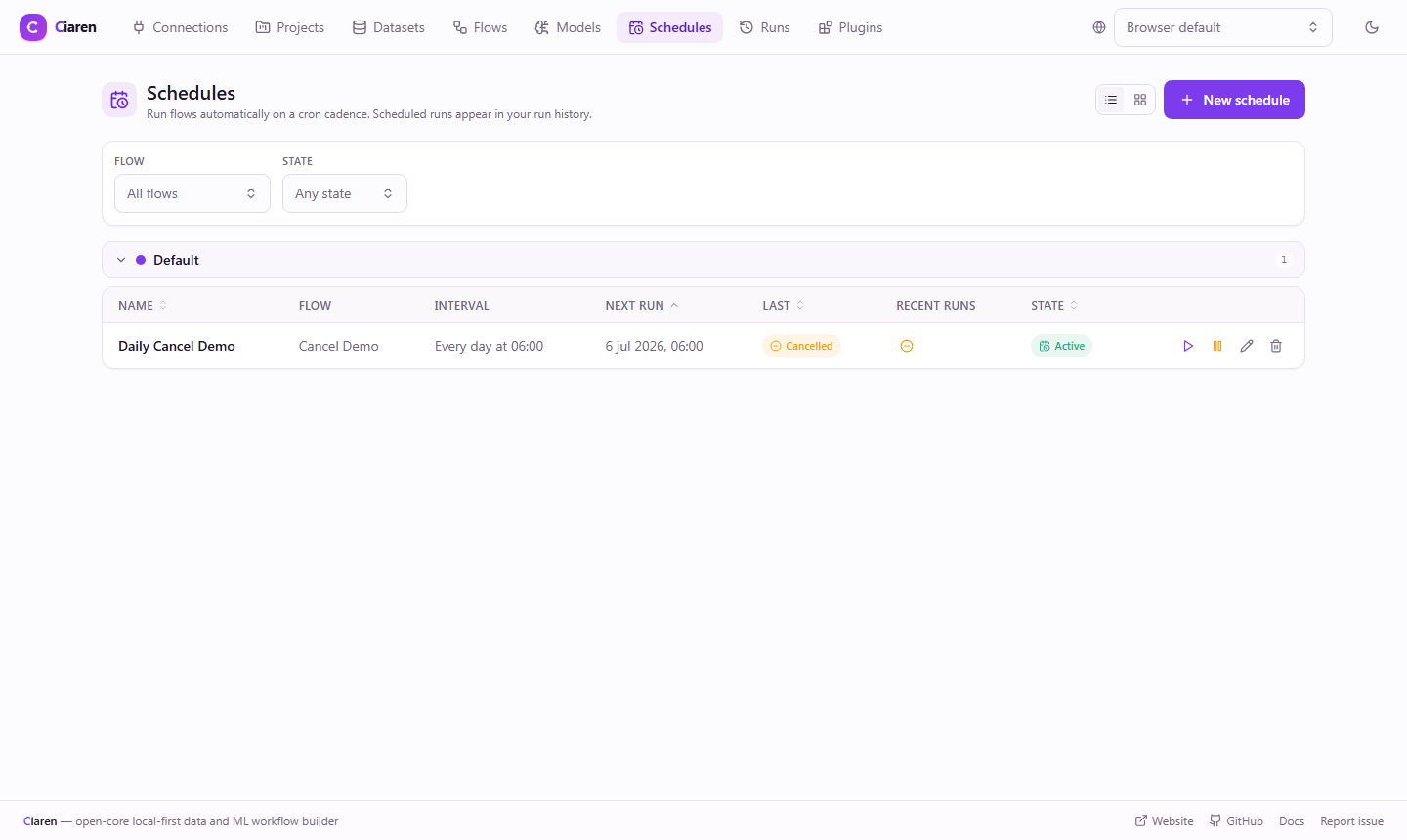
The Schedules page lists each schedule with its cron expression, next run time, and status. The Recent runs column shows the last five runs as icons, oldest to newest.
- Set max_retries and failed runs retry with exponential backoff (off by default)
- A schedule disables itself after 5 failures in a row by default
Inspect
Open any run to find the failing step
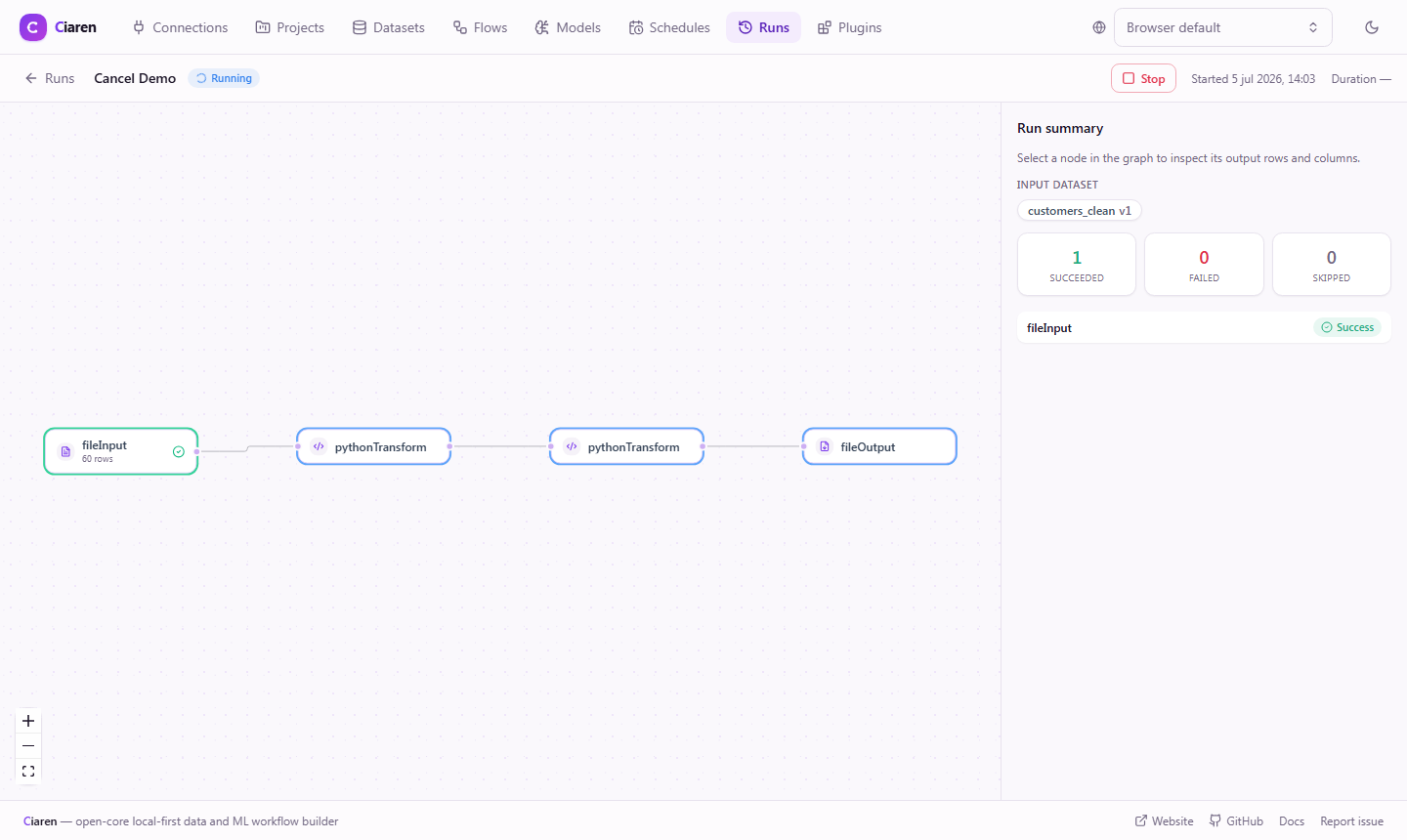
A run's detail page shows the flow as a read-only graph. Each node reports its status, row and column counts, a small sample, and how long it took.
- If a node fails, later nodes are skipped and no output files are written
- Cancel a running run from its detail page or the API
Triggers and alerts
Connect Ciaren to the rest of your stack
Example
Trigger a flow from GitHub Actions
This workflow step starts a Ciaren run and fails the job if the request fails. Store the server URL and flow ID as Actions variables and the secret as an Actions secret.
- name: Trigger Ciaren pipeline
  run: |
    curl -f -X POST ${{ vars.CIAREN_URL }}/api/flows/${{ vars.FLOW_ID }}/trigger \
      -H "X-Ciaren-Secret: ${{ secrets.CIAREN_WEBHOOK_SECRET }}" \
      -H "Content-Type: application/json"
Limits
Where the scheduler stops
- One schedule runs one flow. There are no cross-flow dependencies or DAGs of flows.
- The scheduler runs in a single process. For high availability, export the flow's Python and run it under your own orchestrator.
- Scheduled runs run one at a time by default. The limit is a setting.
- The API has no login by default. Set CIAREN_API_TOKEN when the server is reachable beyond localhost.
Project status: pre-1.0 alpha
Ciaren is pre-1.0 alpha software for small and medium datasets on one machine. It is not built for distributed or streaming pipelines, datasets of 100 GB or more, or multi-user collaboration.
FAQ
Common questions
Read next
Docs and related pages
Schedule your first flow
Install Ciaren, build a flow, and click Schedule in the editor toolbar.