
Connector Plugins
A connector plugin adds a data source or sink Ciaren doesn't support in core — an internal REST API, a niche database, a proprietary warehouse, an object store. Once installed and approved:
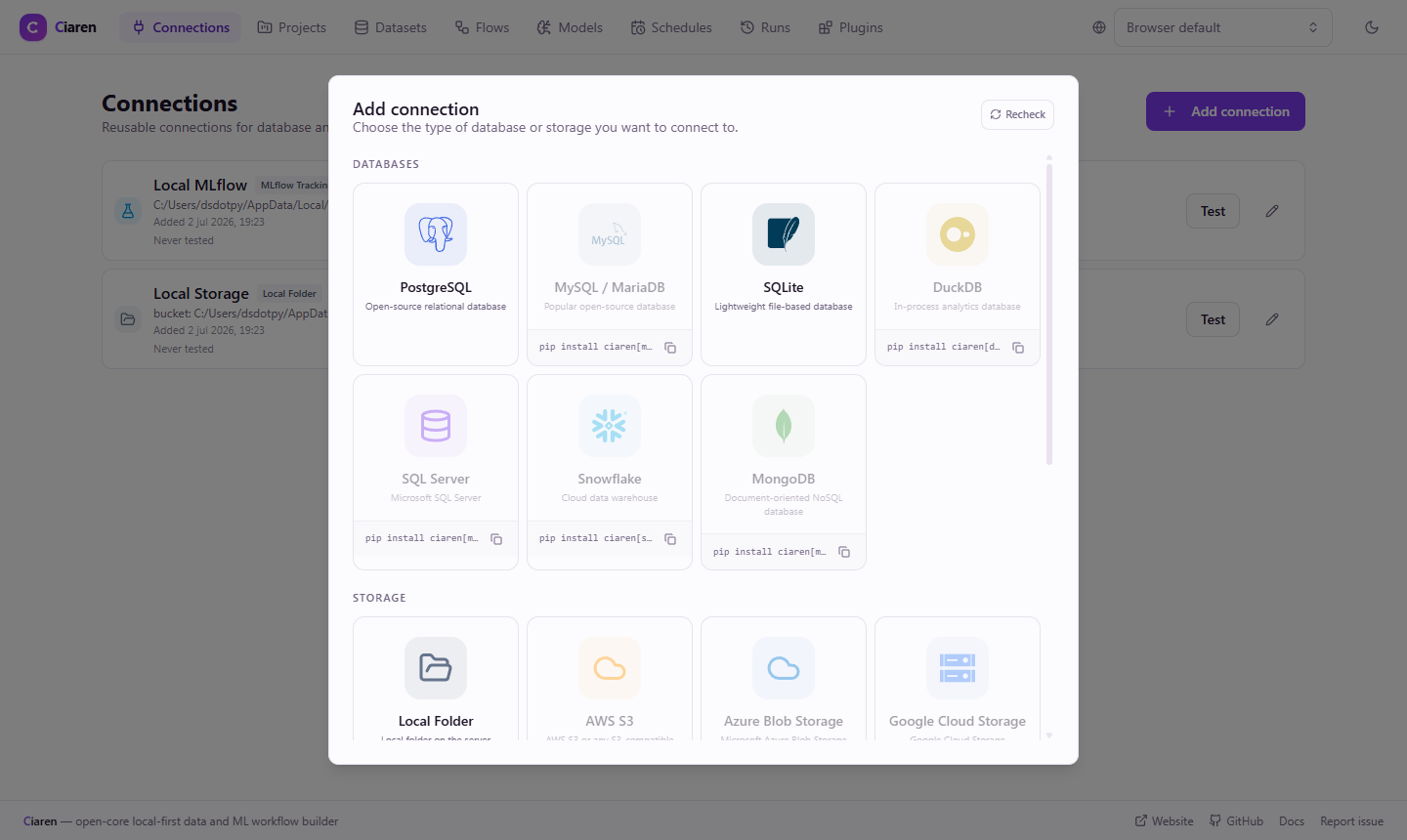
- it appears as a card on the Connections page (in a From plugins section, with a Plugin badge);
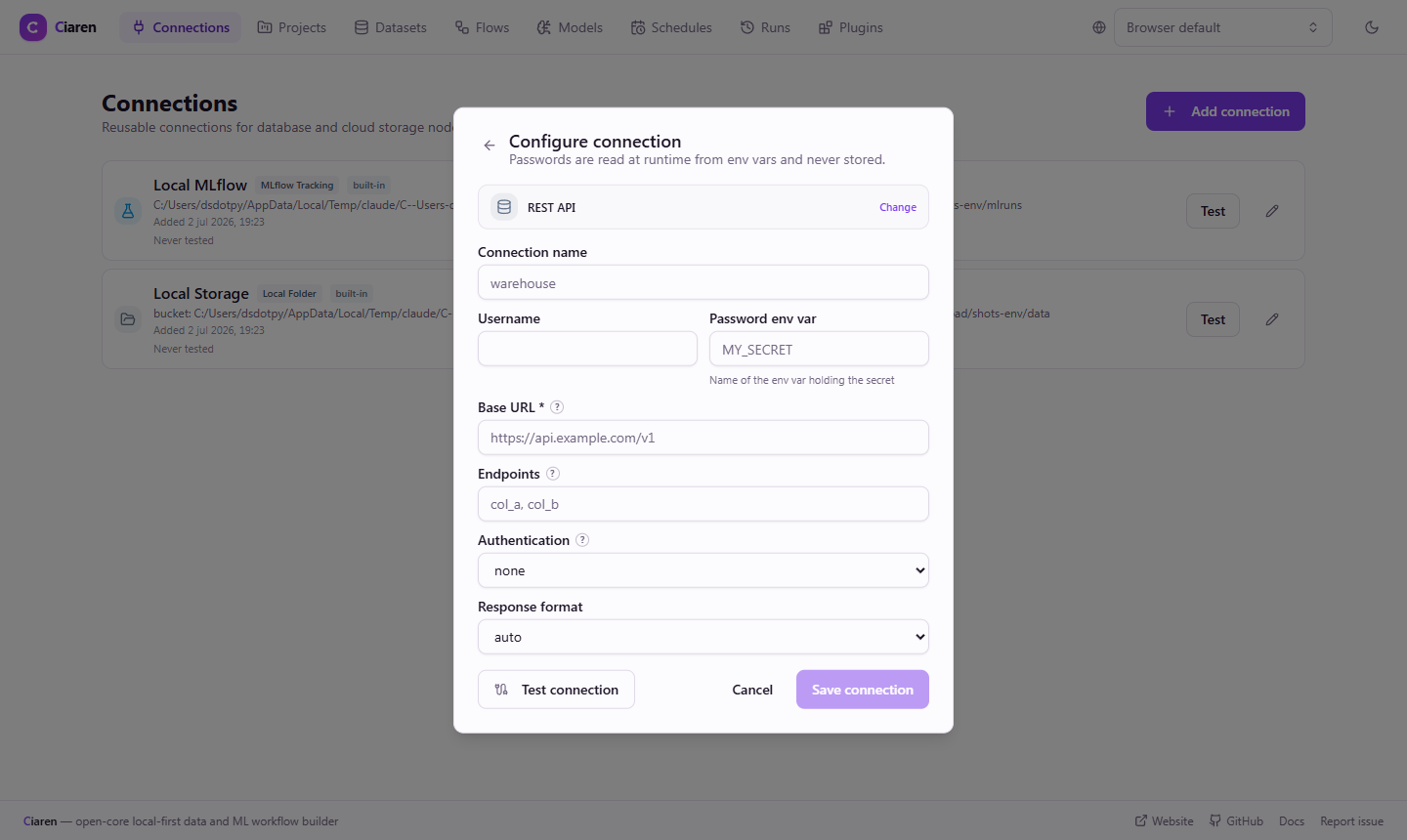
- its connection form is driven by your metadata — the standard flags
(host/port, auth) plus any fields you declare in
config_schema; - connections can be tested, and their tables/objects listed;
- flows read it through the standard SQL Input node (sql-ish kinds) or Storage Input node (storage kind), and write through the matching output nodes — Ciaren materializes frames to parquet snapshots exactly as it does for built-in databases.
This is the intended path for most new integrations. The open core keeps a small set of broadly useful connectors; product-specific, internal, or long-tail systems should be packaged as plugins instead of proposed as built-in core connectors.
Generic HTTP APIs are already covered in core
Ciaren ships a built-in REST API connector with auth, headers, pagination, and parsing options — you don't need a plugin to read a JSON/CSV API. Build a connector plugin when you need something the generic connector can't express: a proprietary wire protocol, a niche database driver, a SaaS product's specific API shape, or write support.
The code below sketches a minimal connector for an internal service; the core REST API connector's source is a fuller reference for request handling, auth, and pagination patterns.
The two halves: spec + runtime
A connector is a ConnectorSpec (catalog + form metadata) plus a
ConnectorRuntime (behavior), both registered by a ConnectorProvider:
from app.plugin_api import (
    ConnectorProvider, ConnectorRuntime, ConnectorSpec, ConnectorTestResult, Permission,
)

class InventoryRuntime(ConnectorRuntime):
    def test(self, config) -> ConnectorTestResult:
        ...  # cheap reachability/auth check

    def list_tables(self, config) -> list[dict]:
        return [{"name": t, "schema": None, "row_count": None} for t in ("stock", "warehouses")]

    def read(self, config, options):     # REQUIRED — returns a pandas DataFrame
        table = options.get("table") or options.get("path")
        ...

class InventoryConnectorProvider(ConnectorProvider):
    def connectors(self):
        return [
            ConnectorSpec(
                id="acme-inventory",
                label="Acme Inventory",
                kind="sql",                       # sql-ish → readable via SQL Input
                provider="acme.inventory-connector",
                permissions=(Permission.network, Permission.credentials),
                metadata={"needs_host": True, "needs_auth": True, "supports_query": False},
                config_schema={"fields": [
                    {"key": "site_id", "label": "Site", "type": "string", "required": True},
                    {"key": "include_archived", "type": "boolean", "default": False},
                ]},
            )
        ]

    def connector_implementations(self):
        return {"acme-inventory": InventoryRuntime()}
What config and options contain
The runtime never touches the database row or the ORM. Ciaren flattens the saved connection into a plain mapping per call:
config = {
  "host": …, "port": …, "database": …, "username": …,
  "password": …,   # resolved from the connection's env var for this ONE call
  "options": {...} # your config_schema fields land here
}
options on read/write carries the flow node's config — mode/table/
schema/query from a SQL node, path/format from a storage node — plus
limit for bounded preview reads (apply it if your source can, Ciaren enforces
it afterwards regardless).
Choosing a kind
kind | Listed under | Readable via | Writable via |
|---|---|---|---|
"sql", "api", anything not below | Databases (SQL nodes) | SQL Input (list_tables + read) | SQL Output (write) |
"storage" | Storage nodes | Storage Input (list_objects + read) | Storage Output (write) |
"mlflow" | Experiment tracking | — | — |
Only read is required. Optional methods you don't implement surface in the
UI/API as a clear "not supported by this connector" message — never a 500.
Secrets
Ciaren's rule is env-var-only secrets and plugin connectors inherit it: the
connection stores the name of an environment variable; the resolved value is
passed into your runtime's config["password"] for the duration of one call.
Never persist it. If you need more than one secret, take env-var names as
config_schema fields (mark them "secret": true so they render masked) and
resolve them with os.environ yourself — document that clearly.
Security model
- Your runtime only becomes reachable after the user approved the plugin
and granted its manifest permissions (
network,credentials,database_access, …) — gated plugins are never even imported. - The host runs its SSRF guard on the connection's
hostfield before invoking your runtime (whenCONNECTOR_BLOCK_PRIVATE_HOSTSis enabled), the same guard the core connectors use. - Failures in your runtime surface as clean connection-test failures or 400s; a broken plugin can't crash the connections API.
Remember the honest boundary: permissions are a disclosure and gating mechanism, not a sandbox — approved plugin code runs with the server's access. See Plugin Security & Permissions.
When to open an issue
Open a core issue when:
- an existing built-in connector or plugin API behavior is broken;
- the Plugin SDK is missing a capability needed to implement a connector safely;
- the docs are unclear or an example is wrong.
For "please support service X" requests, start in GitHub Discussions and treat the work as a community plugin unless maintainers explicitly accept it into core.
Try it
Install a connector plugin from the Plugins page (or drop one into
CIAREN_PLUGINS_DIR) and approve it. On the Connections page its card
appears under From plugins; fill the form it declares, test, and save. In a
flow, add SQL Input (or Storage Input for storage kinds), choose the
connection, and pick a table/endpoint. For plain HTTP APIs, reach for the
built-in REST API connector first.
See also
- ML Model Plugins — the other big executable extension point
- Plugin API Reference —
ConnectorRuntime,ConnectorSpec,ConfigFieldSpec - Connections guide — connections from a user's perspective
- Packaging & Distribution — ship it signed