
Flow Parameters
Parameters make a flow reusable: declare named, typed values once, reference
them in any node field with {{ name }}, and supply different values each time
you run, preview, schedule, or export the flow. Instead of one flow per file or
per date, you keep a single flow and pass {{ input_path }} or {{ run_date }}.
What you'll learn
How to declare parameters, reference them in node config, override them when running or scheduling, and what the exported Python looks like.
How parameters work
- input_pathstringdefault = data/sales.csvSource CSV file
- keepintegerdefault = 100Max rows to keep
{{ keep }}- Per-run overridehighest priority
- Per-schedule overrideif no run value
- Declared defaultfallback
Declaring parameters
In the flow editor, click Parameters in the top bar to open the parameter editor:
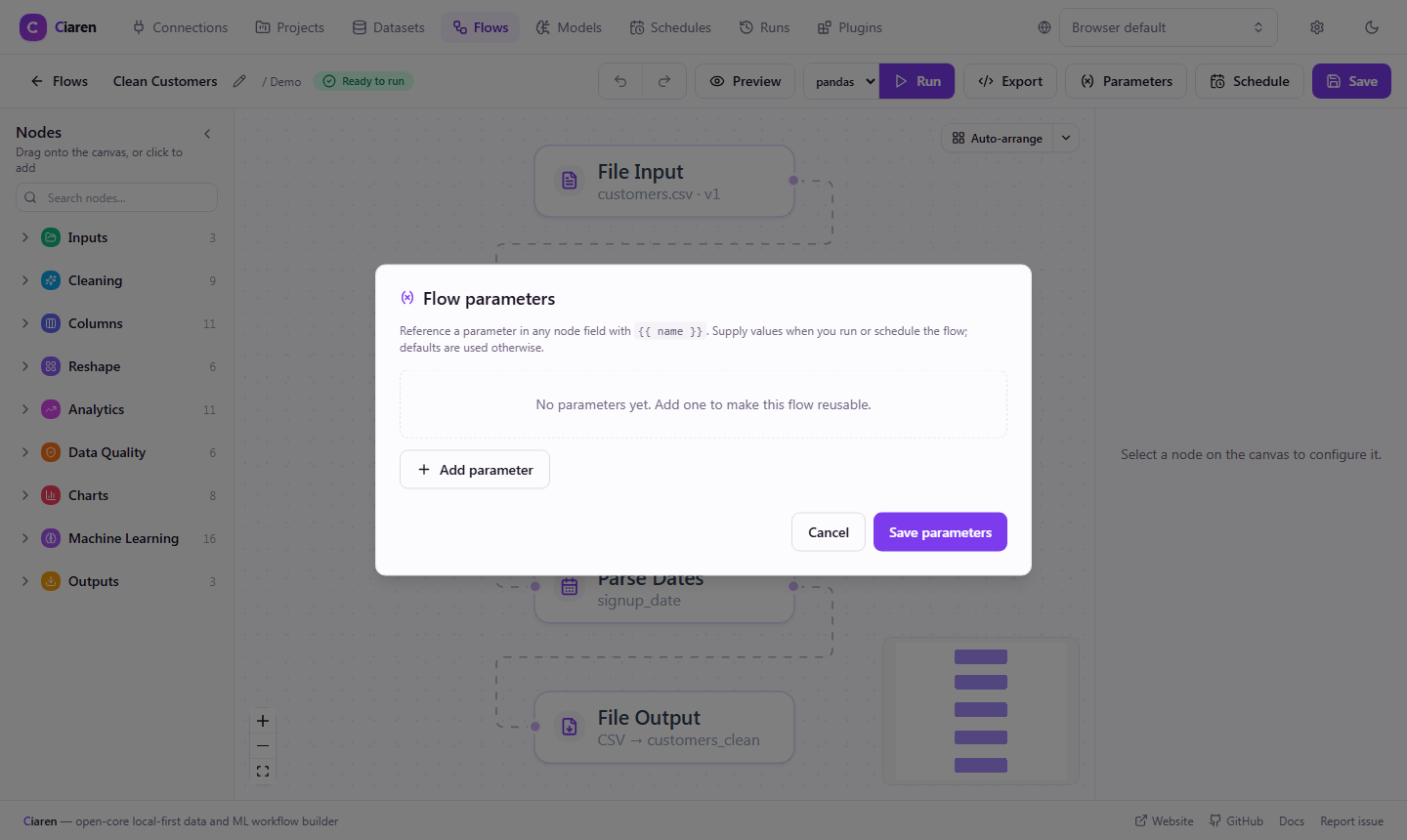
Each parameter has:
| Field | Required | Description |
|---|---|---|
| Name | Yes | An identifier (letters, digits, underscores; can't start with a digit). Used as {{ name }} and as the variable name in exported code. |
| Type | Yes | string, integer, number, or boolean. Controls how values are coerced. |
| Default | No | Used when no value is supplied. Leave blank to make the parameter required at run time. |
| Description | No | Shown next to the field when running and as a comment in exported code. |
The button shows a badge with the number of declared parameters. Adding or editing parameters marks the flow unsaved — click Save to persist them (they're stored on the flow's graph, so they travel with import/export).
Reserved names
A name can't be a Python keyword (class, for, import, …) or one of the
exported script's own identifiers (pd, pl, np, os, df), because each
parameter becomes a top-level variable in the generated code.
Referencing a parameter
Type {{ name }} into any node config field. When you select a node, the sidebar
lists the available parameters as chips and warns if a field references a name you
haven't declared.
There are two substitution styles:
- Whole-field reference — a field whose entire value is
{{ keep }}receives the typed value, so anintegerparameter feeds a numeric field (e.g. Limit rows → Number of rows ={{ keep }}). - Embedded reference — a reference inside a larger string is interpolated as
text, e.g. a storage path
data/{{ run_date }}.csv.
Bindings chosen from a dropdown — the dataset on an input node, or a connection — are not meant to be parameterized; pick those in the UI.
Supplying values
Precedence is per-run override → per-schedule override → declared default.
Running
Click Run on a flow that has parameters and a dialog opens, pre-filled with each parameter's default. Required parameters (no default) must be filled before the run can start. A blank optional field falls back to its default.
Scheduling
When you create or edit a schedule for a parameterized flow, the form shows a Parameter values section. Values entered there apply to every run the schedule fires; blanks fall back to defaults. This is how one flow backs several schedules that differ only by their parameter values.
Over the API
Pass a parameters object to the run endpoint:
curl -X POST http://localhost:8055/api/flows/{flow_id}/runs \
  -H "Content-Type: application/json" \
  -d '{ "parameters": { "input_path": "data/2026-06.csv", "keep": 100 } }'
Unknown names, missing required values, and values that don't match the declared
type are rejected with a 400 before the run starts. The resolved values are
recorded on the run (visible on the run detail page) and re-used by Retry.
Previewing
The step preview in the editor uses each parameter's default, so what you preview matches what a default run would produce.
Exported code
Parameters become real variables at the top of the generated pandas and polars scripts, so the export is runnable as-is and easy to tweak:
import pandas as pd

# Flow parameters — override these to re-run with different values.
input_path = 'data/sales.csv'
keep = 100  # rows to keep

df_1 = pd.read_csv(input_path)
df_1 = df_1.head(keep)
df_1.to_csv('output.csv', index=False)
Whole-field references render as the bare variable (df.head(keep)); embedded
references render as a str.format call ('data/{}.csv'.format(run_date)).
Tips & gotchas
- Required vs. optional — leave the default blank to force a value at run time; give a default to make the parameter optional.
- Type mismatches — the editor validates defaults against the type, and the backend re-validates every value, so a bad value is a clear error, not a silent failure.
- Changing specs after scheduling — if you remove or rename a parameter that a schedule still overrides, those fired runs will error; update the schedule too.
- Don't parameterize the dataset/connection picker — those are environment bindings selected in the UI, not text fields.
Security: parameters are text substitution, not a sandboxed value
{{ name }} is a plain string replacement — it has no idea what the field it's
writing into means. Most fields (filter values, file paths, column names) are
inert once substituted. A few fields are not: they interpret their text as
code or a query.
- A pythonTransform
scriptthat embeds a parameter — an override can close a quoted string early and add further Python statements (the script already runs unsandboxed; see Security Policy). - A filterExpression, assertExpression, or derived-column
expression— parameters feed straight intopandas.eval()/df.query(). - A sqlInput
query(in "query" mode) — parameters are spliced into the literal SQL text, not bound as query parameters, so an override can change the query's logic (widen aWHERE, add a clause), not just its value.
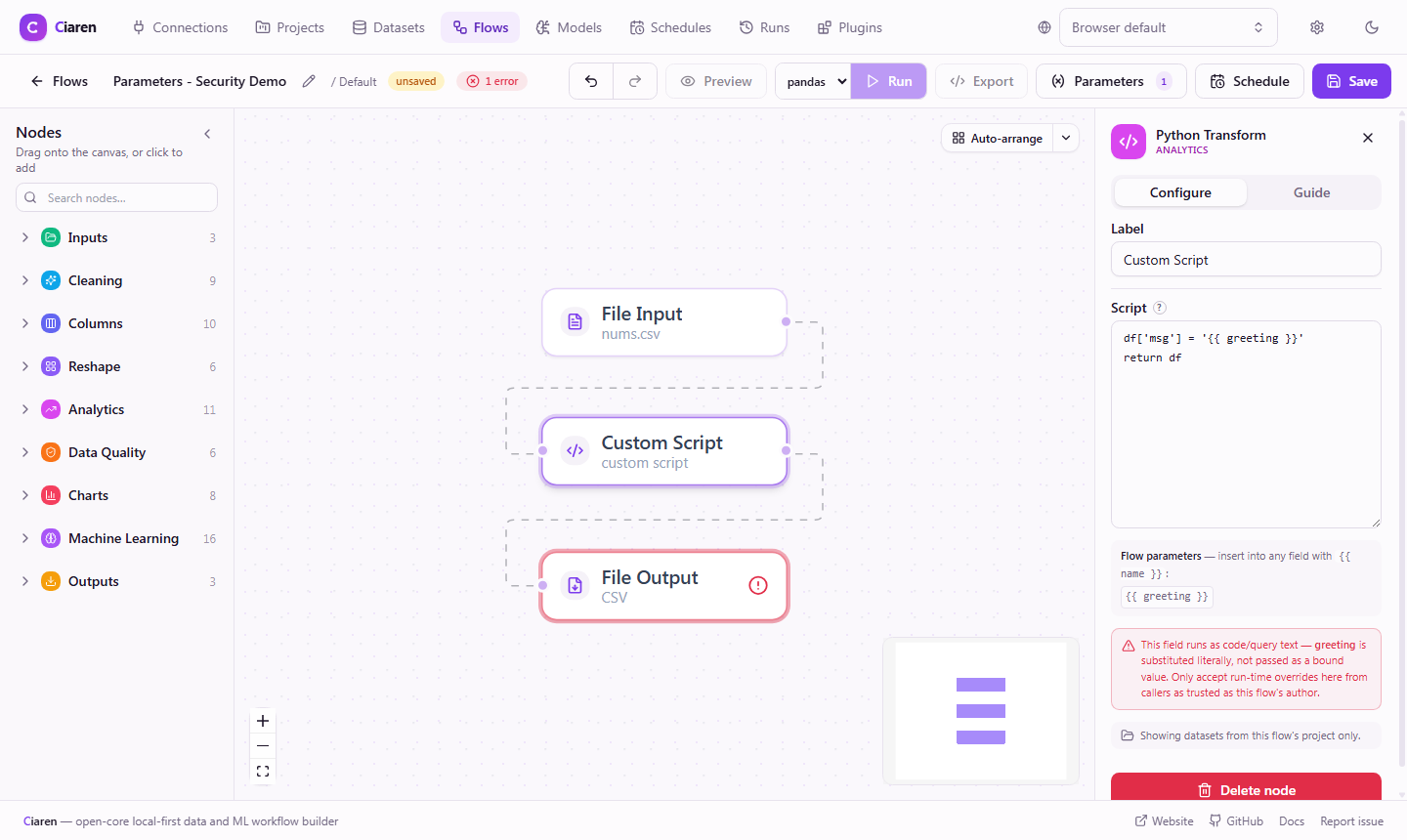
Only reference a parameter inside one of these fields if every caller who can supply a run-time value (via the run API, a schedule, or your own app) is as trusted as the flow's author. If you're exposing "run this flow with end-user-supplied values" from your own application, don't let that untrusted input land in a script, expression, or SQL query field — put it in a plain filter/path/value field instead.
The sidebar warns inline whenever a node like this references a parameter, so the risk is visible right where you'd add the reference:
Next steps
- Scheduling — apply per-schedule parameter values
- Engines (polars / pandas) — export and run on either engine
- Runs API · Schedules API