
Scheduling
Scheduling
Ciaren includes a lightweight, in-process scheduler that runs a flow automatically on a cron schedule — no broker, no extra services. It is meant for simple recurring jobs, not heavy orchestration; Ciaren is not an Airflow/dbt replacement.
How it runs
The scheduler is a single asyncio poller started inside the API process (via the
FastAPI lifespan). ciaren serve runs the API and the scheduler together. Run
the API without it using ciaren serve --no-scheduler (or
CIAREN_SCHEDULER_ENABLED=false). The scheduler is always disabled in tests.
Creating a schedule
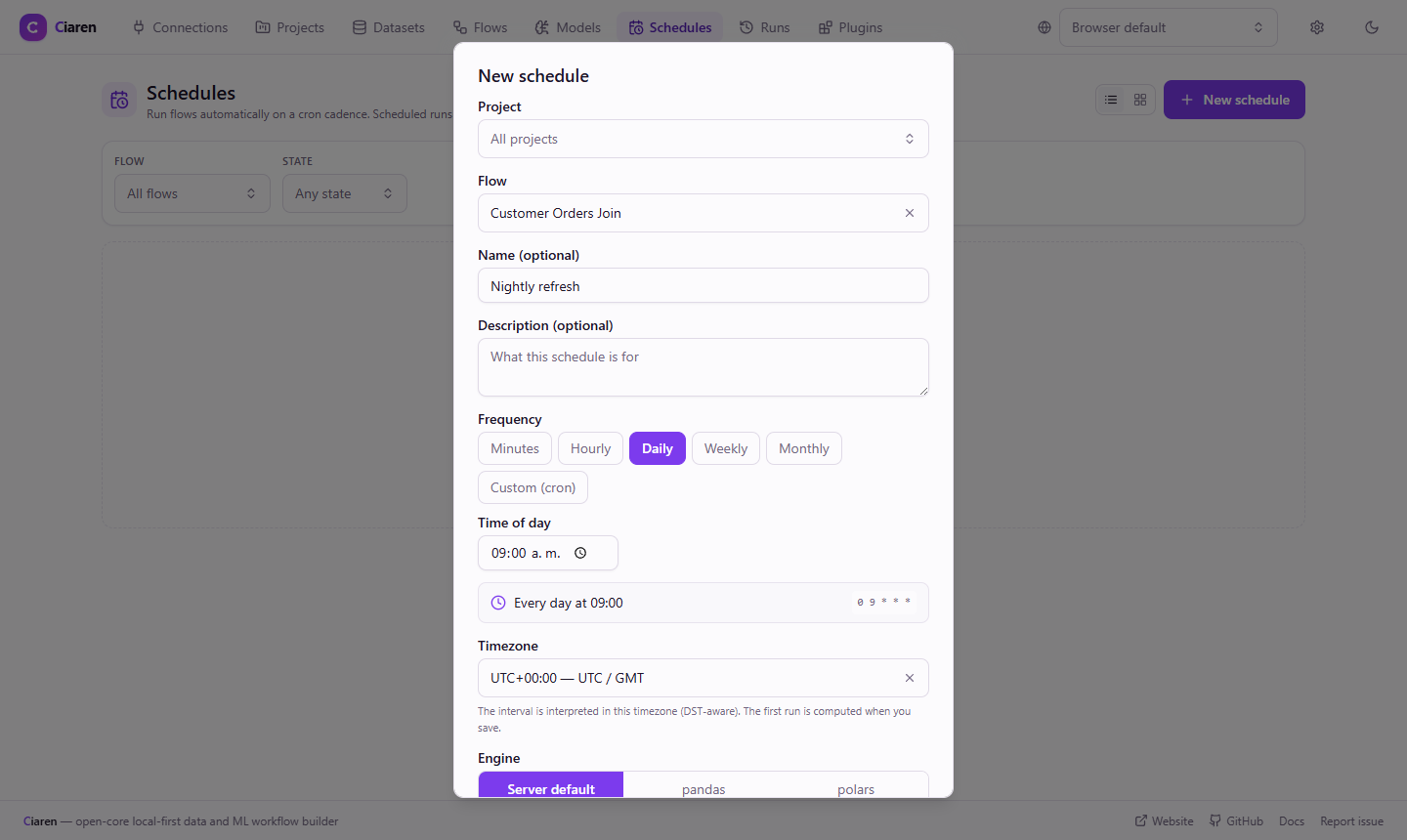
Click Schedule in the flow editor toolbar (or go to the Schedules page) to open the schedule builder:
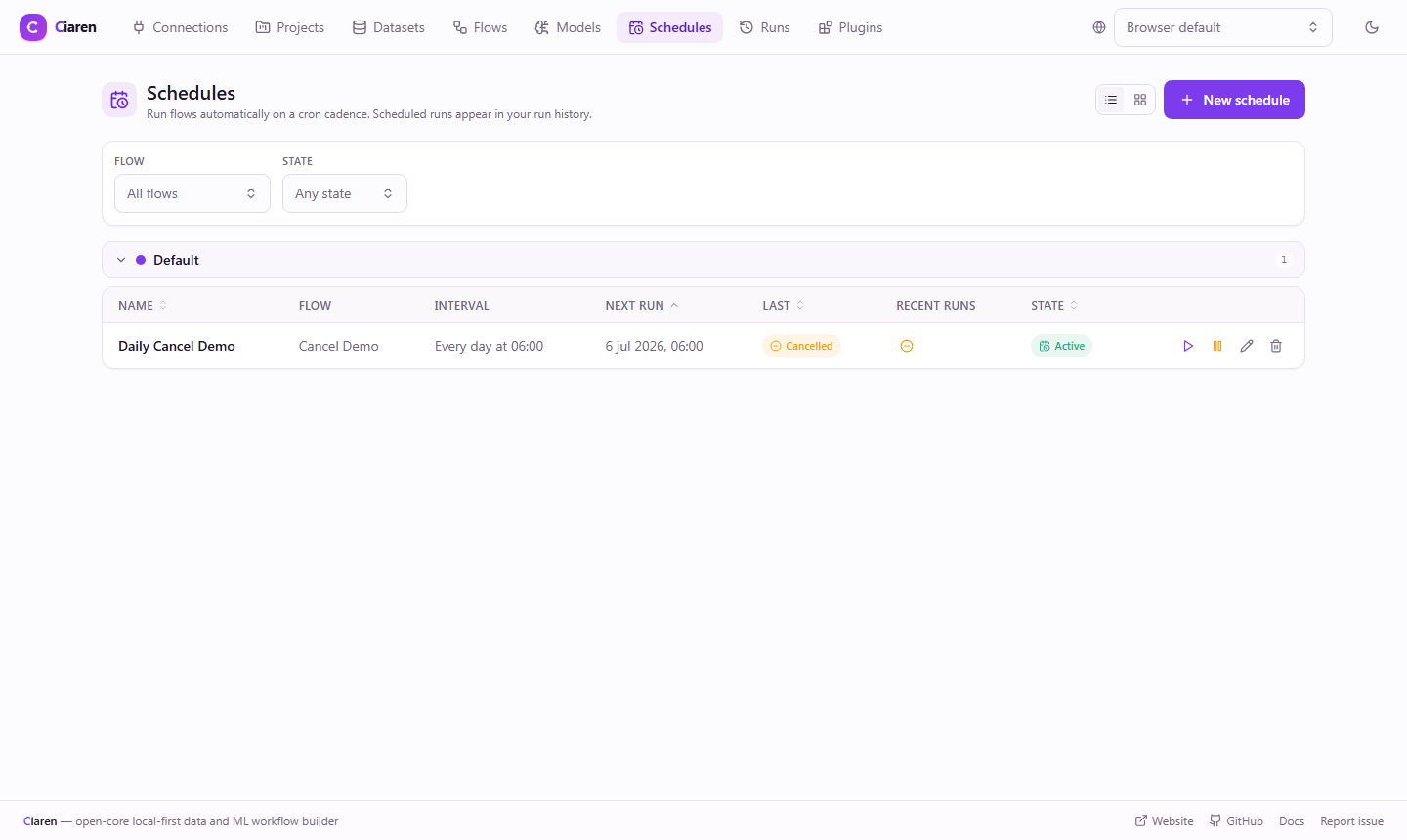
The Recent runs column shows each schedule's last five runs as status icons (oldest to newest), so you can spot a flaky or failing schedule at a glance. Click an icon to open that run in the run detail view.
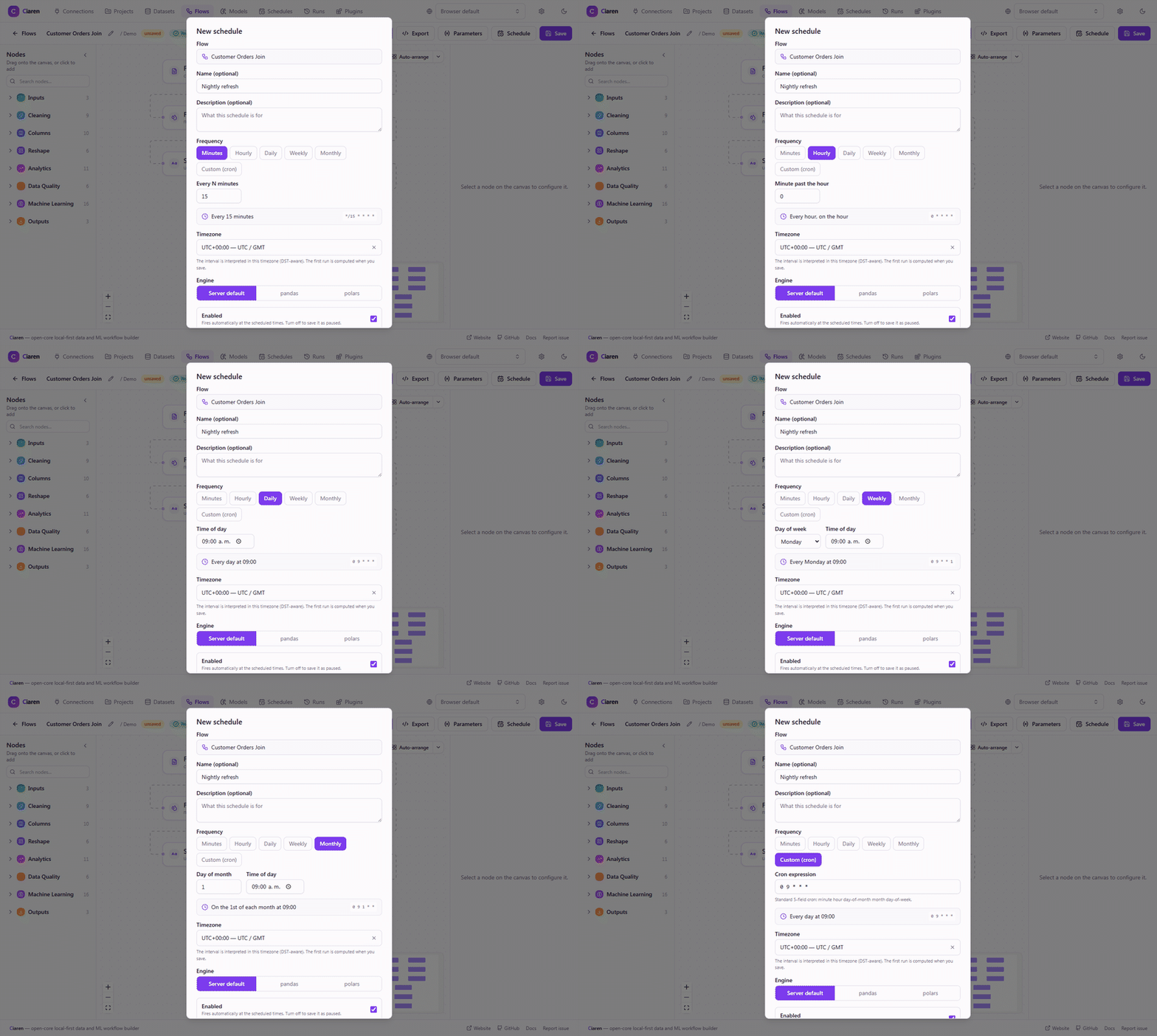
The frequency picker updates its human-readable summary and cron expression live as you switch between presets and Custom (cron). Minutes fires every N minutes (1-59) for sub-hourly cadences; Hourly fires once an hour at a chosen minute past:
In the UI, open a flow (or the Schedules page) and add a schedule with a cron expression and timezone. Over the API:
curl -X POST http://localhost:8055/api/flows/{flow_id}/schedules \
  -H "Content-Type: application/json" \
  -d '{
        "cron": "0 7 * * *",
        "timezone": "America/New_York",
        "engine": "polars",
        "is_enabled": true,
        "catch_up": false,
        "max_retries": 2,
        "retry_delay_seconds": 60
      }'
| Field | Default | Description |
|---|---|---|
cron | — (required) | Standard 5-field cron expression |
timezone | UTC | IANA timezone used to interpret the cron |
name / description | null | Optional labels |
engine | null | Engine for scheduled runs; falls back to the server default |
is_enabled | true | Whether the schedule is active |
catch_up | false | Run slots missed while the server was down |
max_retries | 0 | Retries for a failed run before giving up to the next slot (max 10) |
retry_delay_seconds | 60 | Base backoff between retries |
run_timeout_seconds | null | Per-schedule run timeout override; falls back to RUN_TIMEOUT_SECONDS (0 = no limit) |
parameters | null | Flow-parameter overrides applied to every run this schedule fires |
The UI includes a cron builder so you don't have to hand-write expressions.
Parameterized flows
If the flow declares parameters, the schedule form shows a Parameter values section. Values you set there apply to every run this schedule fires; blanks fall back to each parameter's default — so one flow can back several schedules that differ only by their parameter values.
Lifecycle overview
next_run_atnext_run_at advances to next cron slotHow it decides what to run
Schedule.next_run_at (a naive-UTC timestamp) is the single source of truth.
Because it's stored in the database, schedules survive restarts without a separate
jobstore. The poller wakes up periodically
(SCHEDULER_POLL_INTERVAL_SECONDS, default 30s), runs anything due, and computes
the next slot.
Scheduled runs are recorded like any other run, tagged with their
trigger and schedule_id. Browse them via GET /api/schedules/{id}/runs or
GET /api/runs?schedule_id=..., and they open in the normal
run detail view.
Reliability behaviors
- Concurrency & overlap. Concurrency is capped
(
SCHEDULER_MAX_CONCURRENT_RUNS, default 1), and a schedule skips a new slot if its previous run is still going, so runs never pile up on each other. - Catch-up. If the server was down across one or more slots,
catch_updecides whether those missed slots run when it comes back (off by default, so you don't get a burst of stale runs). - Retries. A failed run retries up to
max_retrieswith exponential backoff (retry_delay_seconds, capped at 1 hour) before falling back to the next cron slot. - Auto-disable. After
SCHEDULER_MAX_CONSECUTIVE_FAILURESconsecutive failed runs (default 5) a schedule is disabled with adisabled_reason. Re-enabling it clears the failure streak. - Orphan recovery. On startup, runs left in
running(interrupted by a crash) are markedfailed— a single process can't resume them. - Manual run-now.
POST /api/schedules/{id}/run-nowtriggers an immediate one-off run that stays outside the retry/auto-disable machinery.
Configuration
| Setting | Default | Description |
|---|---|---|
CIAREN_SCHEDULER_ENABLED | true | Master on/off switch |
CIAREN_SCHEDULER_POLL_INTERVAL_SECONDS | 30 | How often the poller wakes |
CIAREN_SCHEDULER_MAX_CONCURRENT_RUNS | 1 | Max simultaneous scheduled runs |
CIAREN_SCHEDULER_MAX_CONSECUTIVE_FAILURES | 5 | Failures before auto-disable (0 = never) |
Limitations
- One schedule runs one flow. There are no cross-flow dependencies or DAGs of flows.
- The scheduler is single-process. For high-availability or distributed scheduling, export the flow's Python and run it under your own orchestrator.
See also
- REST API: Schedules
- Projects & Runs — where scheduled runs show up
- CLI Reference —
--no-schedulerand scheduler env vars